Welcome to Rondelek
Hello, and welcome. Rondelek TWST-1 is a little arcade of sounds for kids. A child records a funny noise onto a big colourful key, taps it, and hears it come right back. Then they switch to a game and steer it with nothing but their voice: say “aaa” and the hero jumps. It’s a toy first, and a sneaky bit of practice with sounds and vowels along the way.
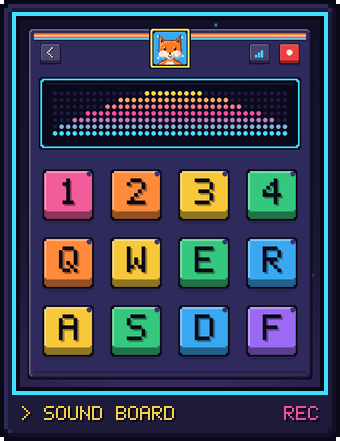
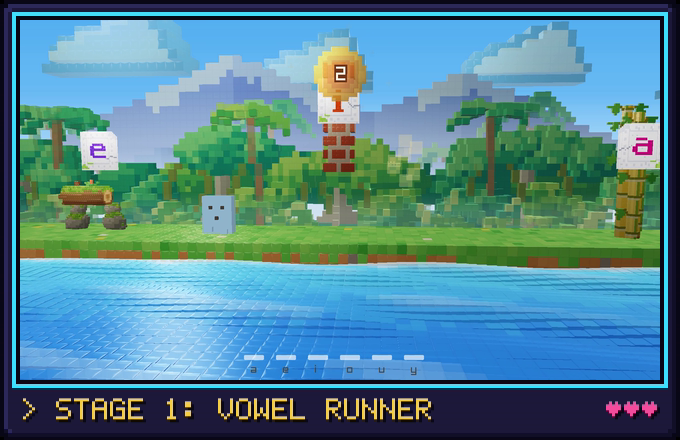
One install serves the whole family. Every child gets their own card, picture and recordings, and everything stays in plain folders on your computer. No accounts, no internet, no ads.
Two ways into this book
If you’re a parent or a grown-up helping a child play, start with Playing with Rondelek. It walks you from downloading the app to your child’s first game, with one important stop on the way: the voice calibration. It only takes a minute or two, and it’s what lets the games understand your child.
If you’d like to see how it’s made, head to Under the hood. It starts with building the app yourself, then shows you around the code: how sound flows from the microphone to the speakers, how the screens are drawn, how the app recognises vowels, and how the games are put together.
Under the hood, at a glance
- Language: Rust (edition 2024), in a workspace of three crates:
core(shared logic, no GUI),app(the sound board and menus) andgame(the voice games, which run as a separate process). - App GUI:
egui/eframe, immediate-mode. - Games:
raylib, in its own window and process. - Audio:
cpalfor recording and playback,houndfor WAV files,rustfftfor the dancing spectrum, andspectrogramsfor the MFCC vowel detector. - Camera:
nokhwa, for taking a picture for a child’s card. - Storage: plain JSON files (
serde) in the usual OS data and config folders. No database, no network.
| Chapter | What you’ll find there |
|---|---|
| Building from source | Getting the code running on Windows, macOS or Linux, the everyday commands, and handy test switches. |
| Architecture | The App struct, the per-frame loop, the screen state machine, threading. |
| Audio routing | The essential one. Recording, playback, the visualizer taps, device management. |
| The visualizer | The pluggable Visualizer trait, the spectrum pipeline, vowel detection and calibration. |
| UI, layout & rendering | The fluid layout, the renderer, theming, fonts, translations. |
| Data model & storage | What lives on disk, and how it’s laid out. |
| Voice games | The game process, Vowel Runner’s scene, the art, the shaders, and adding a game. |
| Libraries | Every dependency, and why it’s here. |
Keeping this book current: these pages are treated as part of the code. Any change to how the app behaves or is wired updates the matching page in the same commit. Contributing to these docs has the details.